BVSCU will NEVER ASK FOR YOUR USERNAME, PASSWORD, OR VERIFICATION CODE. If someone asks, hang up and call BVSCU immediately at 281-391-2149.

Helpful Hints
Scheduled and Activity Tab in Online Banking
If you are currently logged into online banking, here is the breakdown of what Scheduled and Activity tab can do under Transfer & Pay:
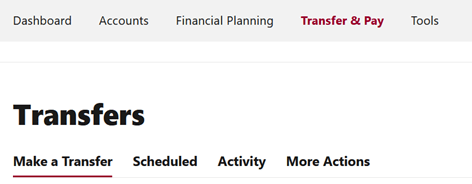
The “Scheduled” Tab: Think of this as your “Future & Current” bucket. It’s the best place to check if funds are queued to leave your account.
- The “Activity” Feature: This is your “History” bucket. If you’re wondering, “Did my car loan payment actually go through last Tuesday?”—this is where you’ll find the confirmation.
- The “Failed” Status: If you see this, it usually means there was a glitch or insufficient funds. It’s a red flag that requires immediate attention, so you don’t miss a due date.
Need to reach out?
If something looks wrong in your online account (like a double payment or a missing transfer), it’s best to contact Digital Services at digitalservices@bvscu.org
- Pro Tip: When emailing, don’t include your full account number or social security number for security reasons. Just use your name and a description of the specific transaction date/amount.